 Sylent - 3/4/2024
 Sylent - 3/4/2024
Hey Warriors! Sylent here.
Today, let’s dive into the world of material management, an important aspect of our creative process. I’ll be sharing some issues that the team and I encountered with managing our texture workflow. We will discuss the problems we faced, the solutions we came up with, and the lessons we learned along the way.
Material Mess
In the realm of texturing and rendering, I like to see shaders and textures as our paint, and the 3D mesh our canvas. Of course, there is more to it, and it’s only one part of the whole procedure but for now, let’s focus on the materials. For the sake of understanding the key differences between Avaxwarriors and Human League, let’s quickly revisit the first collection. In the original collection, we used high-resolution sculpt files to project procedural materials. This all happens in Keyshot. A great render software. Although we were initially psyched to have created a large-scale collection with that level of render quality, our workflow had its limitations, including costly rendering and the confinement of only being able to create (metadata-accurate) images within that software. We knew we had to change our approach if we wanted to build more interactive products.
New Software; New Challenges
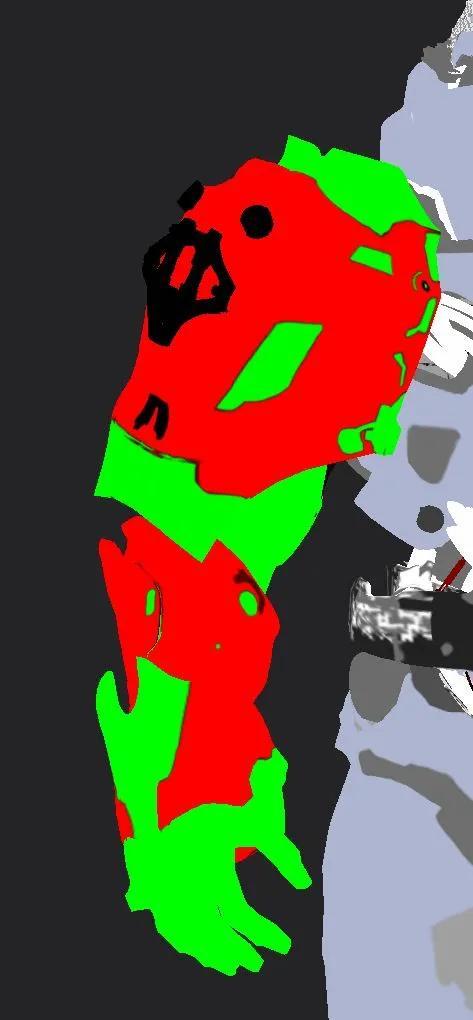
This has been one of the key reasons, why we decided to switch to Blender and a revamped approach to managing materials. The skins had to be texture maps. 2D images which were mapped onto our characters and assets. This opens up doors for rigged models and the possibility of viewing and showcasing the creations in different engines and 3D viewers if needed. The main problem that needed to be solved was efficiently managing and assigning all the different texture map combinations for a large-scale collection. We tried using color ID maps for each mesh and area where there would be different materials. But this proved to be time-consuming and unnecessary. We experimented with Blender’s built-in shader nodes and UV coordinates to look up the IDs of each piece, but this also took too much time and wasn’t very effective. Solutions: After much trial and error, we discovered a better approach. Instead of trying to manage, index, and assign the correct texture maps, we found a way to create one single texture per unique warrior that contained all the necessary materials. This is made possible by compositing the 2D textures before loading them into Blender. So for example, if a warrior has a “Red” primary paint and “Blue'' secondary paint, we can run that through the compositor, which takes a red texture pack, and a blue texture pack and gives us a single texture map with the two mixed, ready to be plugged in. This procedure can be done with all 30+ skin combinations and is scalable.
Lessons Learned
Through this process, we learned how important it is to iterate to find the most efficient solution to a problem. We also learned that sometimes it’s the simplest solutions that are the best ones. By compositing all the necessary materials into a single texture depending on which warrior needs to be rendered, we were able to simplify the assignment of materials to meshes significantly. This allows for easier management and a set texture set for each NFT.
Conclusion
In conclusion, managing materials for 3D collections can be a challenging task. The team and I hope that by sharing our experiences and solutions, we can help others avoid some of the pitfalls we face. There are many ways to approach this and would love to hear if anyone has insights, tips, and tricks or any problem they recently encountered while working on a project! Join us in Discord https://discord.com/invite/thewarriorarmy to continue the conversation and spark new ideas!